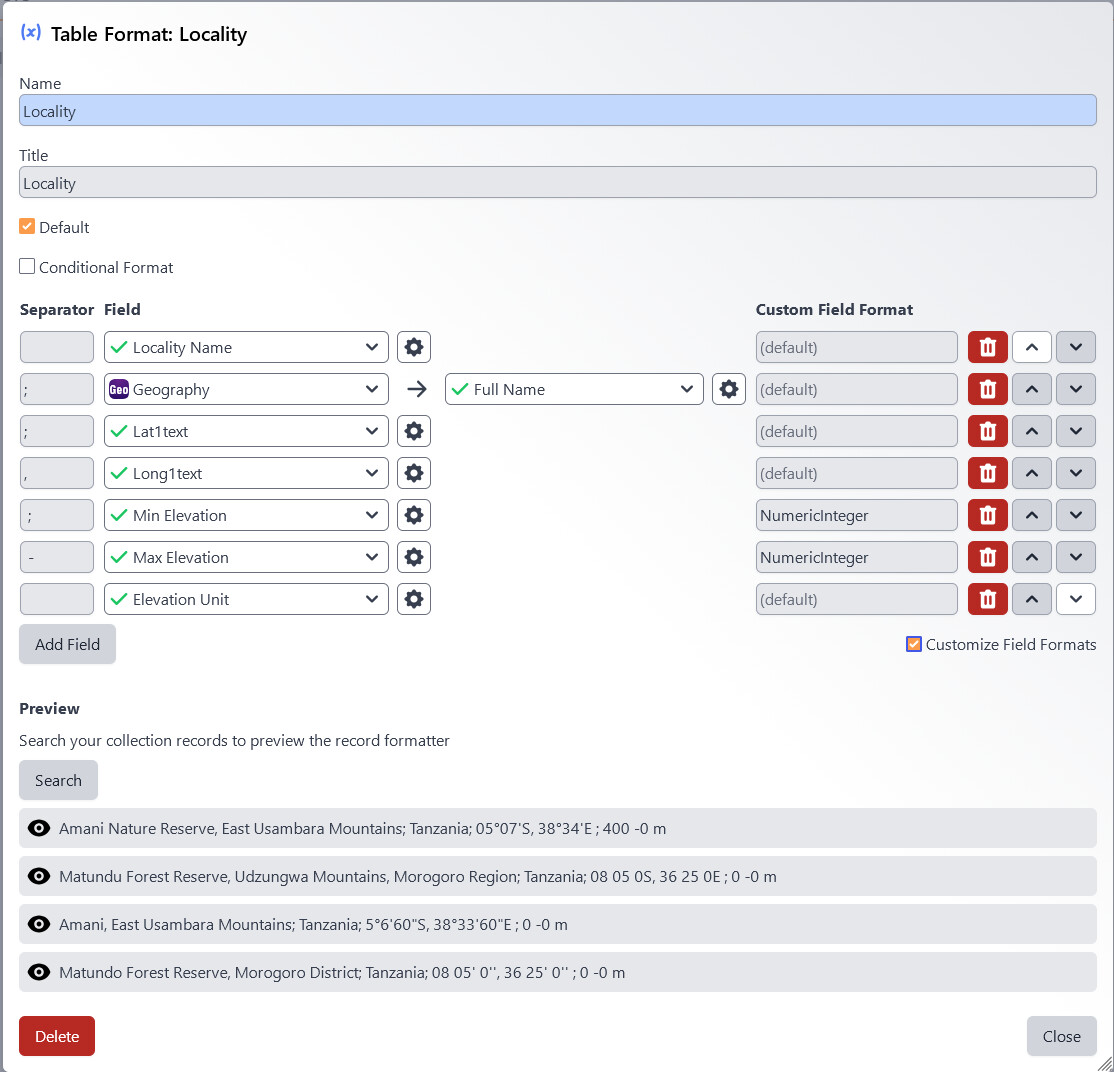
I have been trying to add certain numeric fields, namely elevation to the Locality table formatter, but when looking at it in a query, it adds a lot of unnecessary zeroes behind the point that I can’t seem to get rid of.
I tried with custom field formatters, but to no avail:
Nor could I find any useful tips here: Field Formatting and Auto-Numbering
It would seem a similar issue was addressed back some time ago, but is there any update?
Thanks @Grant ,
Problems with decimals are:
they misleadingly suggest a much bigger precision than is really in the data
display in forms (as @Schuchert 's screen shots show)
more importantly, display on labels: the values have become three or four times as long, so they will not fit anymore
data delivery to GBIF, ALA etc.
On the other hand, there seems to be no benefit in having the values changed to decimals at all, as Specify removing “spurious zeros” already indicates that we are not work…
Specify 7 Version: v7.11.2.1
+1 This has been requested for a long time. Being able to round any numeric field (including coordinates) would be really useful. Cheers
That’s right @alexis.beck ! A feature request for this already exists on GitHub: Trim Trailing Zeros on Displayed Decimal Values · Issue #1909 · specify/specify7 · GitHub
@fedoras , I have commented there with a link to this post to note your interest in this request!