Specify 7 System Information - 2025-08-29T21_03_50.977Z.txt (547.9 KB)
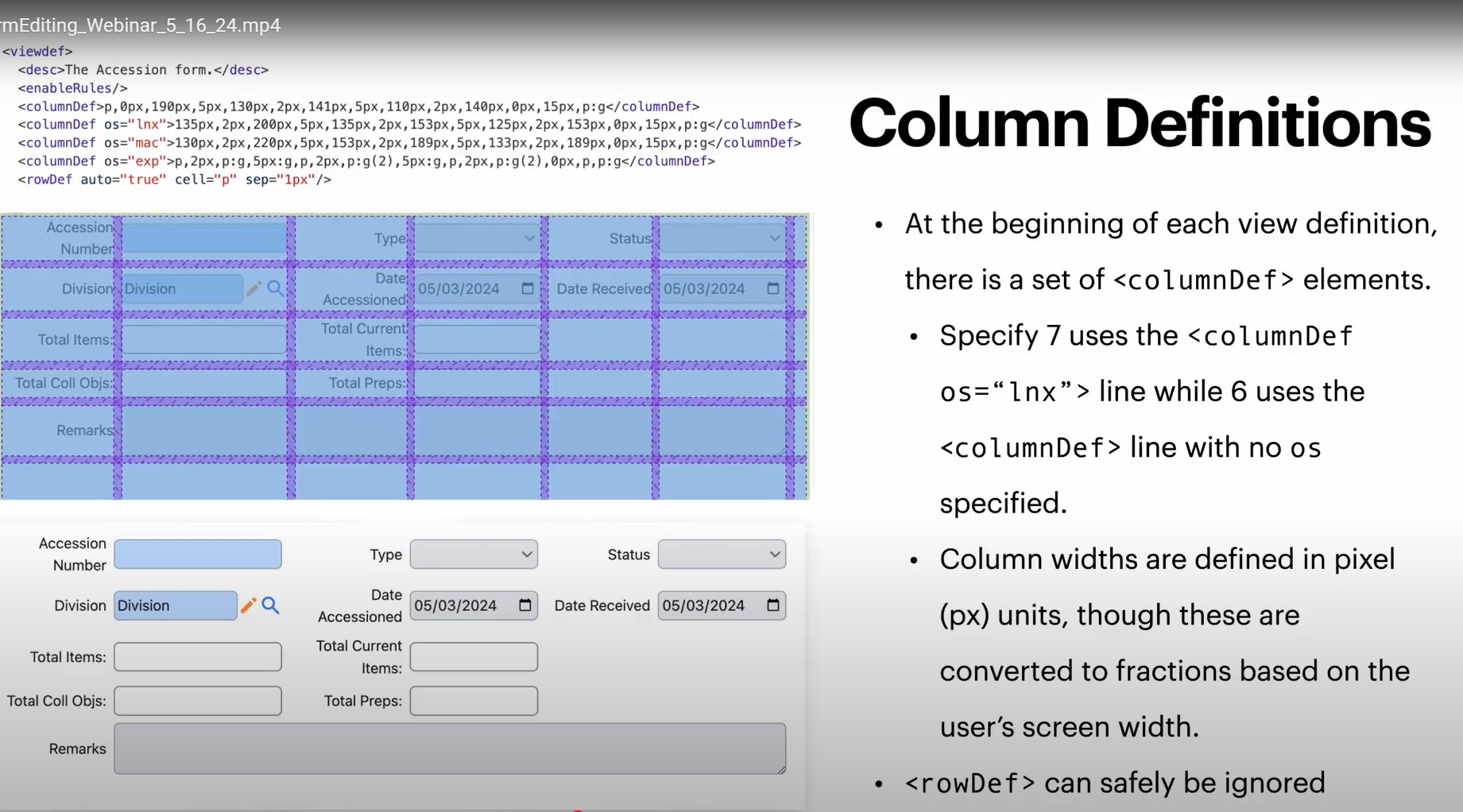
When working in the view definition, I would like to add the purple grid to visualize the row and column spacing better. Here is a screenshot from Editing Forms in Specify Webinars. What are the steps to add this?
Hello @krandall ,
Thank you for reaching out!
The grid is a way to visualize the form’s structure using the browser’s built-in developer tools. Here is how you can access it.
- Right-click anywhere on the form and choose “Inspect” from the menu.
- In the developer panel that appears, click the element selector icon (it usually looks like a square with an arrow pointing at it in the top-left corner of the panel).

- Hover your mouse over any part of the form.
This highlights the individual containers and gives you precise details about their size, padding, and margins.
Best,
Bhumika