I wonder if it’s possible to create a form based on the CO form, split vertically. The left side would include the original CO form fields, and the right side would display the attachment content (usually the specimen image).
The idea is to allow transcription of the label text from the image, validate the form content, and inspect the CO information in Specify while viewing the specimen.
The main problem today is that the image opens on top of the CO form, and you have to close and reopen it repeatedly to compare it with the form content.
Moreover, the image viewer should allow zooming in on the image to inspect small details (as much as the resolution allows).
I REALLY want this feature. Specify Devs, consider OSU a +1 to this.
I think every form in specify should be able to have a dialog window “snapped” in place next to it, not just attachments.
This would be awesome, for example, when using GEOLocate plugin or GeoMap plugins. The fact that entering data in forms usually looks like this:
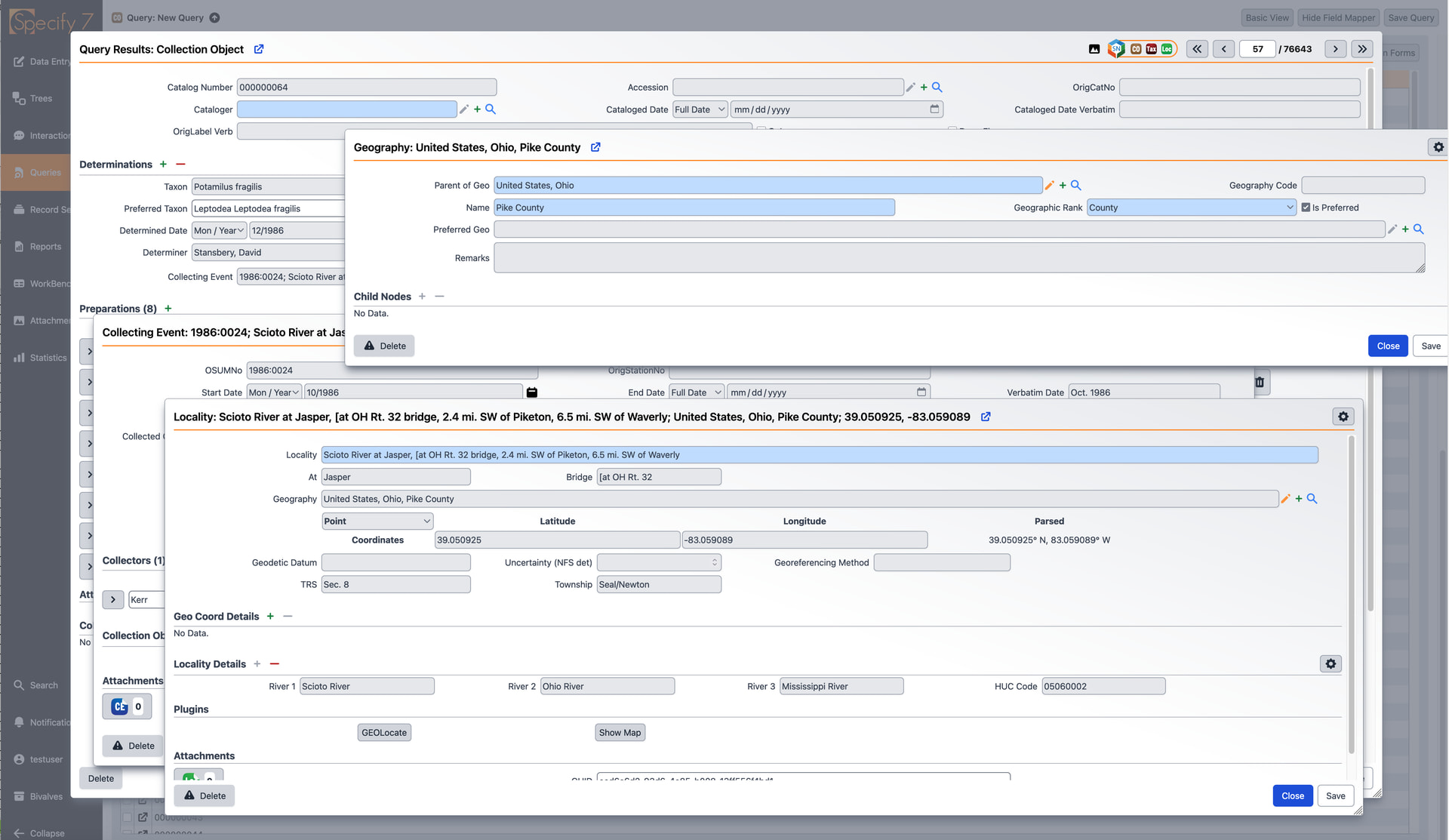
can get pretty annoying, especially when when you need to refer to content between the different dialog windows and attached media.
Eyal, RE the point about “allow zooming in on the image to inspect small details” that is a separate request, I think, but one I also think would be a huge improvement. I think the way forward would be to encourage the devs to look into implementing the iiif universal viewer for specify attachments.
I agree with both of @nfshoobs comments:
- GEOlocate is another commonly used tool that we often want to access alongside the CO details, and there might be others as well, but viewing the image is the most important to us.
- Zooming in on the image is a different issue; however, it is of lesser importance for me because, in most cases, the image opens in full size.
In fact, I’m not entirely sure if this was a feature request or if it could simply be configured using the current form system.
Hm, @Eyal I do wonder if it’d be possible with current forms. I don’t think so as a true 'side by side" with the normal dialog box, in one sense because the forms are set to stay in the center of a window and expand on both sides equally, and that’s hard-coded into the software.
I think the image viewing could potentially work, in that it is already possible to embed the attachment viewer into a form natively, unlike Geomap. (Though it would be nice if Geomap could be embedded natively into forms).
It might be possible to force the form to be extremely wide and have a conditional definition based on the presence or absence of a null value in the attachmentID field, and then have one conditional form definition include a gigantic panel on one half of the form where the attachment plugin would display. I’ve not experimented with pushing the form definitions in that way.
I think it would be hard to set something up that would work consistently on different monitor resolutions in the current form system.
I have created a feature request for the enhancements suggested. Here is the link for your reference: Side-by-Side Panel View for Forms, Attachments, and Plugins · specify/specify7 · Discussion #7753 · GitHub
Thanks!
YES please from us too!!!