Hi @Marion,
Thanks for your question!
The format you’ve defined looks good to me.
For your first point, if you want ZMB_Mam_###### to start at a certain number (e.g. ZMB_Mam_135500), you can simply create a Collection Object with that number and all subsequent records entered will increment based on that value.
The next record you create with auto-incrementing on will be ZMB_Mam_135501.
If you want to fill in previous numbers (e.g., ZMB_Mam_000044), you can enter them manually using forms-based data entry or WorkBench, or you can assign them in bulk through Batch Edit.
The reason you are not seeing the auto-incrementing behavior work is because setting the Catalog Number is a little different than simply setting the field format in Schema Config. It needs to be set both there and in the Collection record.
See How to Change the Catalog Number Format:
This means you need to edit the Collection record for Mammals (in your database):
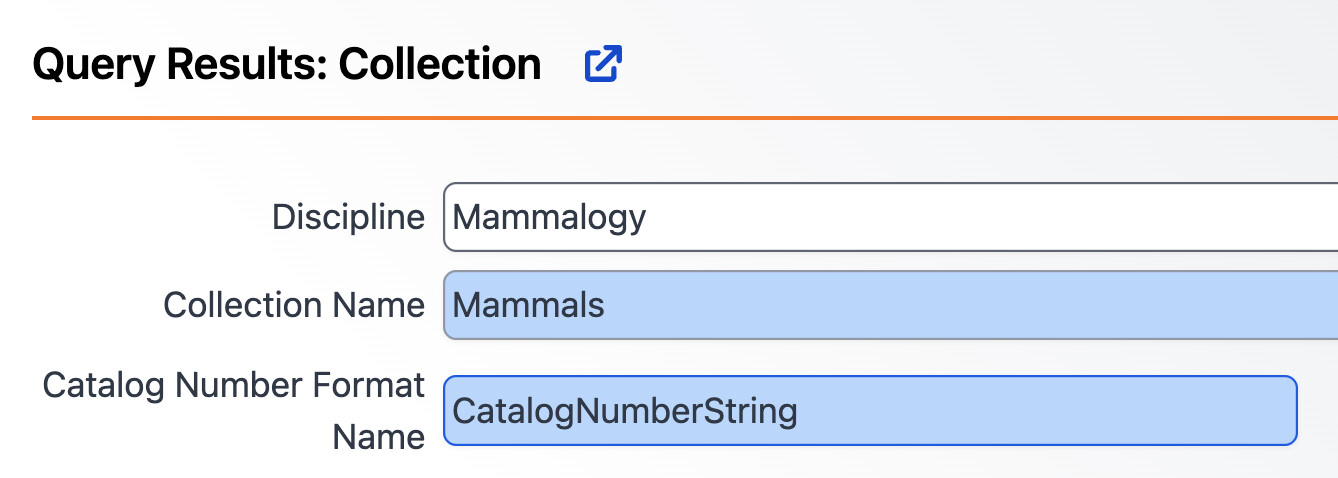
This just needs to be changed from CatalogNumberString to Mammals_AutoNumbering_CatalogNumber. Once this is done, you can save the updated Collection record.

Now when you save a new record, auto-incrementing should take place right away! If you would like me to do this for you in your database, just let me know.
In response to your question, I’ve added a new section in the Field Formatting and Auto-Numbering documentation to better cover this behavior as well.
Incrementing Behavior
When you have a numeric incrementing field segment (like
ABC-####), it automatically identifies the highest value and adds 1 to it.For example, consider the following three records in the Accession table:
Accession Number ABC-0001 ABC-0003 ABC-0301 ABC-0502 When you create a new Accession Number, either through the data entry forms or via the WorkBench using the auto-incrementing functionality (e.g., leaving the field as
ABC-###), it generates the numberABC-0503.
Accession Number ABC-0001 ABC-0003 ABC-0301 ABC-0502 ABC-0503 Specify does not fill in the gaps between numbers automatically. Those values will need to be entered manually via WorkBench or Batch Edit, or filled in using Bulk Carry Forward.